

Dynamic LED Rope Lights: Mastering Chasing and Flashing Effects (Are You Still Selling Static Light?)
You install a seamless line of light on a commercial building facade. It looks clean, professional, and… completely motionless. It blends into the background. Your client wanted "energy," they wanted to draw attention from the street, but you delivered a static white line. In the competitive world of commercial signage and entertainment lighting, static light is often invisible light. If you want to grab eyeballs and charge a premium, you need movement.
Chasing and flashing effects are achieved using "Magic Color" (part of the RGB+IC family) technology. Unlike standard strips where the whole length changes color at once, these strips have integrated chips that control individual segments (pixels). This allows for dynamic effects like "meteor showers," "horse racing" flow, and rainbow gradients that travel down the rope.
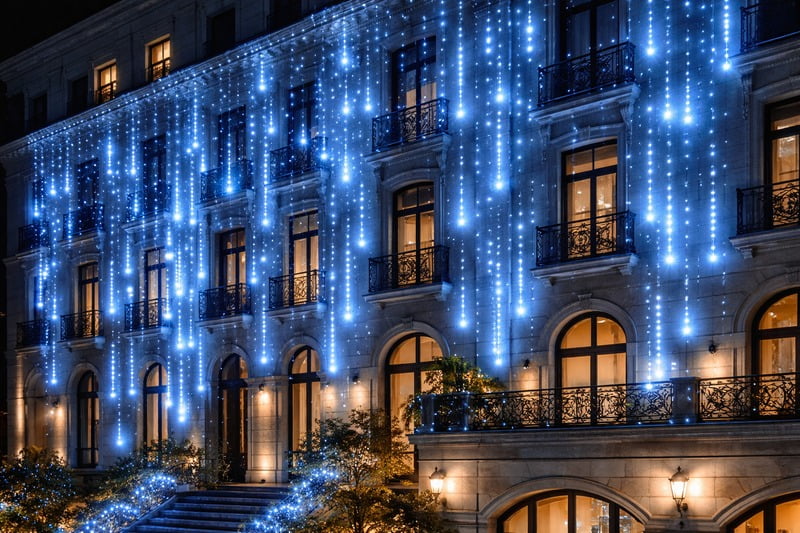
When I walk through my factory floor in Shenzhen, I see the shift happening in real-time. Three years ago, 80% of our orders were for static white or basic RGB. Today, the "Magic Color" (Pixel) production lines are running 24/7. Buyers like you are realizing that adding an IC chip adds value. But "moving light" is more complicated than "static light." If you don’t understand the voltage drops, the data protocols, and the cutting lengths, you are going to end up with a flickering mess. Let’s dive into how these effects actually work.
What Makes the Light "Chase"? (The IC Secret)
Most clients think a "chasing" light is just a normal light with a fancy remote. It is not. You cannot take a standard RGB strip, hook it up to a magic controller, and expect it to chase. The hardware itself is physically different. If you quote the wrong hardware, no controller in the world can save you.
The secret lies in the IC (Integrated Circuit) chip caused "Addressable LEDs." In a standard strip, a single electrical command tells all LEDs to turn Red. In a Chasing strip, the controller sends data packets down a dedicated data line. Each chip reads its specific packet and passes the rest down the line, allowing the first meter to be Red while the second meter is Blue.
Built-in vs. External IC1s
In the B2B world, we categorize these "Magic" strips into two main buckets based on how the chip is mounted. This affects the look and the price.
1. External IC (The Classic Style):
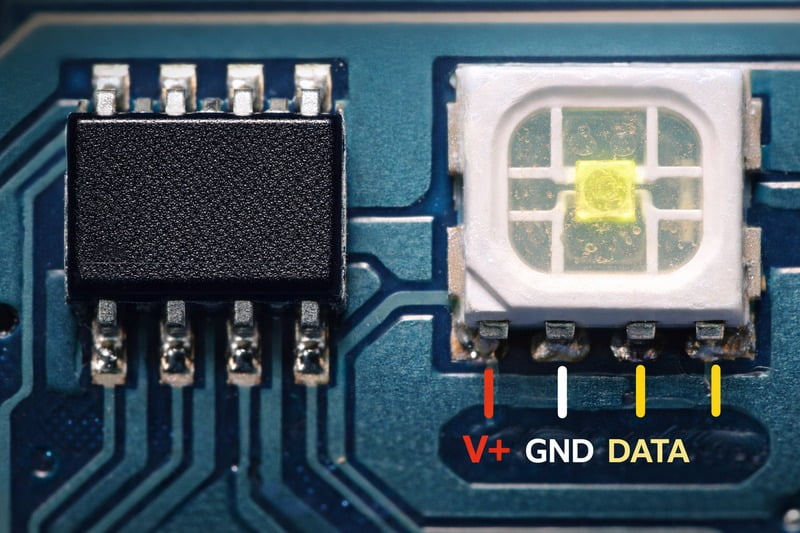
- The Look: You see the LED diode, and next to it, you see a small black square (the chip) and a capacitor.
- The Grouping: Usually, one chip controls a group of LEDs. For example, in a 12V strip, one chip might control 3 LEDs.
- The Result: When you run a "chasing" effect, the light moves in 10cm blocks. It looks a bit "blocky" or pixelated.
- The Advantage: If one LED dies, the others in the group might survive. It is also generally cheaper to manufacture in bulk.
2. Built-in IC2 (The Modern High-Res Style):
- The Look: This is what we use in our high-end COB Magic Series. You don’t see a black chip on the board. The microscopic IC is actually buried inside the LED package itself.
- The Density: Because we don’t need space for the black chip on the PCB, we can pack the LEDs incredibly close together. We are producing 720 LEDs per meter in this category.
- The Effect: The resolution is ultra-high. The "Chase" doesn’t look like moving blocks; it looks like a liquid flow of light.
- The Application: This is mandatory for visible installs. If the rope light is exposed (not hidden in a cove), you must use Built-in IC COB. Clients will not accept seeing pixel dots in 2024.
The "Horse Race" Effect:
In our catalog, you will often hear my sales team refer to the "Horse Running" effect. This is industry slang for a specific mode where a streak of light travels from start to finish, followed by darkness, and then another streak. It mimics the movement of a race. This is the requested feature for hallway lighting and building outlines because it indicates "direction.
Why Is Voltage (5V vs 12V vs 24V) Critical for Moving Effects?
You want to install a 20-meter run of chasing lights around a ceiling perimeter. You buy a 5V pixel strip because you heard it has "better control." You turn it on: the first 3 meters consist of bright white flowing light, and the rest is a dim, orange, flickering disaster. You just hit the voltage drop wall.
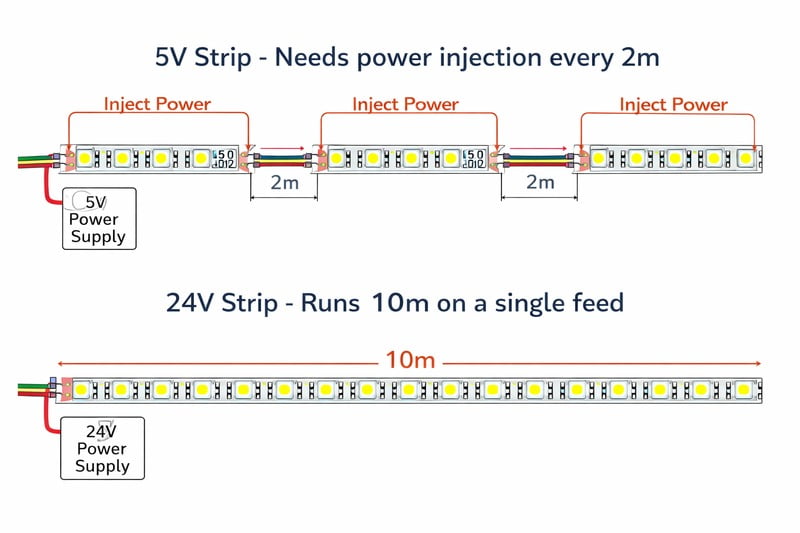
Voltage drop is the biggest enemy of chasing lights because the IC chips are voltage-sensitive. 5V strips offer individual pixel control but suffer massive voltage drop every 2-3 meters. For architectural runs (5m to 10m), 24V is essential. It reduces current, allowing longer continuous runs without the colors fading to pink or the data signal failing.
Choosing the Right Voltage for the Job
I see contractors make this mistake every week. They buy the 5V strip3 because it’s cheap, then spend double the money on thick copper wire to inject power.
1. When to use 5V (The "Prop" Voltage):
- The Spec: Usually 160 LEDs/m or similar.
- The Pro: Every single LED is a pixel. The resolution is insane.
- The Con: You can basically only run 2 to 3 meters max before the voltage drops below the threshold needed for the Blue diode to light up.
- Use Case: Use this for small signage, PC gaming cases, or wearable tech clothing. Do not use this for a hotel ceiling.
2. When to use 12V (The Middle Ground):
- The Spec: Often controls 3 LEDs per pixel (one cut section).
- The Run: You can comfortably run 5 meters.
- The Trade-off: You lose a tiny bit of resolution (the "chase" moves in 3-LED increments), but for cove lighting, nobody notices.
3. When to use 24V (The "Architectural" Standard):
- The Spec: Our HC-12-24 Magic Series is built for this.
- The Physics: Higher voltage pushes the current further with less resistance.
- The Advantage: You can power a full 10-meter roll from one end (though I still recommend feeding both ends for perfect white balance).
- The pixel grouping: In 24V COB Magic strips4, one "pixel" (cut segment) might be 50mm long. This sounds large, but when the effect is a "soft gradient flow" across a 50-meter building, 50mm resolution is perfectly fine.
Power Injection Logic:
Magic strips consume power even when the light isn’t on, because the IC chips are always "listening" for data.
- My Rule: Oversize your power supply by 30%.
- If you are running a "Full White" strobe effect, the power draw spikes massively. If your PSU isn’t big enough, the controller will crash, and the lights will freeze.
Flashing vs. Flowing: What Controls the Mood?
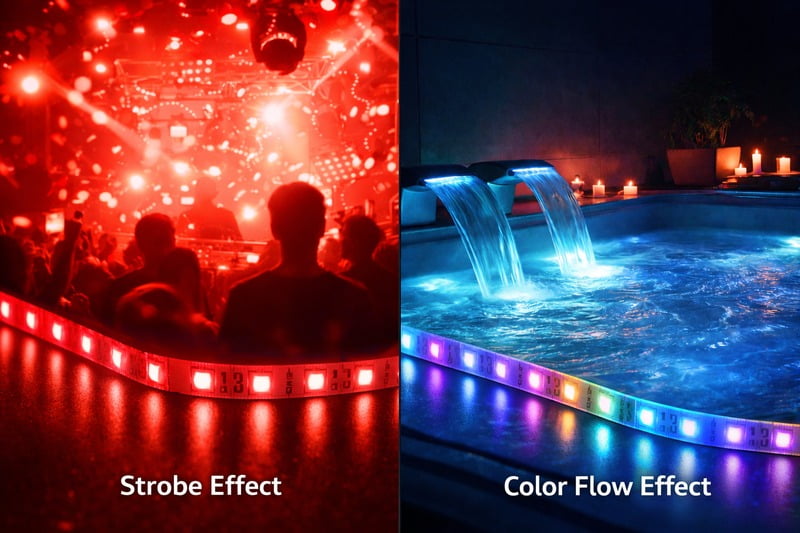
Your client calls you in a panic. "The lights are looking like a cheap disco!" You intended for a confusing "water flow" effect, but the controller is set to a hard "strobe." The difference between high-end atmosphere and a seizure-inducing headache is entirely in the programming speed and style.
"Flashing" (Strobe) creates high-energy, attention-grabbing beats, ideal for clubs or alarms. "Flowing" (Chasing) creates smooth, sophisticated movement, ideal for guiding foot traffic or relaxing ambiance. The key is using a controller that supports SPI (Serial Peripheral Interface) to customize the speed, direction, and color blending of these pixels.
The Protocol (SPI vs DMX)
You don’t need to be a coder, but you need to know what "language" your lights speak.
1. SPI (The "Data" Wire):
- Most of the Magic Strips I sell use SPI (TTL) logic.
- Wiring: You will see 3 wires:
V+(Red),GND(White/Black), andDAT(Green). - The Backup: Some professional strips have a 4th wire:
Bi(Backup Data).- Why you need
Bi: If pixel #45 burns out, usually pixel #46 to #1000 would stop working because the chain is broken. With a Backup line, the signal bypasses the dead pixel and keeps the rest of the wall lit. Always buy proper Backup Data strips5 for commercial jobs.
- Why you need
2. The Controller Types:
- The "Remote" (Simple): These come with 300 pre-set modes. "Rainbow," "Meteor," "Breathing." Good for homeowners.
- The "SD Card" (Pro): You use software (like LEDEdit or Madrix) on your PC to design a custom logo animation or a specific brand-color chase. You save it to an SD card, plug it into the controller, and it loops that effect forever.
- DMX-to-SPI Decoder6: This is for the big leagues (Stages/Concerts). The lighting desk sends DMX; the decoder converts it to SPI for the strip.
Designing the "Chase":
- Direction: Ensure the "Water" flows into the room, not out of it. It subtly invites people in.
- Tail Length: A short tail "meteor" looks fast and energetic. A long tail "gradient" looks calm and luxurious.
- Speed: Slower is usually more expensive-looking. Fast chasing looks cheap unless it’s synced to music.
How Do You Install Without Failing? (Data Direction)
I shipped 500 meters of Magic COB to a distributor in Texas. He called me furious: "Jeremy, half the rolls don’t work!" I got on a video call. He had wired power to the end of the strip, not the start. Unlike analog lights, digital lights are a one-way street.
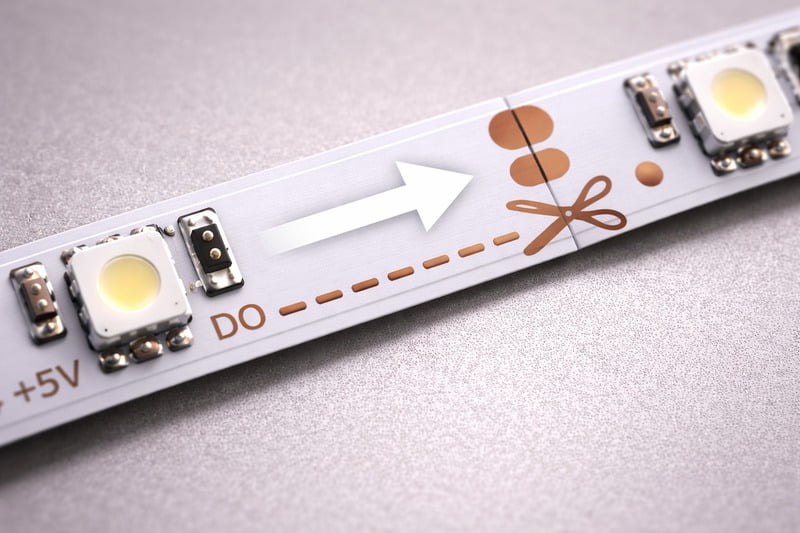
Magic LED strips have a strictly defined data direction, indicated by small arrows printed on the PCB board. You must feed the data signal into the "input" end (the tail of the arrow). Feeding data into the output end will result in zero light. Additionally, cutting must be done exactly on the solder pads to avoid severing the data circuit.
The Installation Checklist
Before you stick that tape to the aluminum profile, check these three things. If you don’t, you will be peeling it off and destroying the strip.
1. The Arrow Rule:
- Look at the board. You will see arrows
>>>. - Data flows in the direction of the arrow.
- The Controller MUST be connected to the start of the arrow.
- Common Mistake: In a room perimeter, the installer cuts the strip at a corner and solders it to extend it. If they solder the new piece backwards (Arrow facing Arrow
>>> <<<), the signal crashes at the join.
2. The Cutting Precision7:
- On high-density Magic COB strips, the cut points are weird. They might be every 12.5mm or every 33.3mm.
- Standard strips have big copper pads. Magic COB strips have tiny, sliver-like pads.
- You need sharp scissors. If you crush the PCB while cutting, you might short the Data line to the Ground line. That kills the chip.
3. The Corner Issue:
- Magic light hates hard 90-degree bends. The data lines are microscopic copper traces.
- If you pinch the corner, you snap the data line.
- My Advice: Never bend the strip itself 90 degrees flat. Use a "Corner Connector" or solder a small looped wire (a "jump") to get around the corner.
4. The "Ghosting" Fix:
- Sometimes, even when the controller is "Off," the first few LEDs flicker or glow faintly.
- This is "Data Leakage" or grounding issues.
- The Fix: Ensure your Power Supply Ground (GND) and your Controller Ground (GND) are tied together common. Without a common ground reference, the data signal floats and causes glitches.
Conclusion
Chasing and flashing effects are no longer just for casinos and Christmas trees. With the advent of High-Density Magic COB, you can now create elegant, seamless flows of light that integrate perfectly into high-end architecture.
- Move to COB: Stop using the old SMD pixel dots. The seamless COB look elevates the perceived value of your work.
- Watch the Voltage: Use 24V for longer architectural lines to avoid the "orange fade."
- Respect the Arrow: Data only flows one way. Train your installers to look before they stick.
- Control the Mood: Use "Flow" for elegance and "Flash" for energy. The hardware is the same; the programming makes the difference.
At Rhstriplighting, we manufacture the strips that allow you to paint with moving light. Don’t let your next project be static—make it move.
-
Learn about External IC technology and its cost-effectiveness in LED strips, crucial for budget-conscious projects. ↩
-
Explore the benefits of Built-in IC technology for high-resolution LED lighting, essential for modern installations. ↩
-
Understanding when to use a 5V strip can save you money and improve your project’s efficiency. ↩
-
Explore the advantages of 24V COB Magic strips for architectural lighting and their efficiency in large installations. ↩
-
Understanding Backup Data strips is crucial for ensuring your lighting setup remains functional, especially in commercial applications. ↩
-
Exploring the DMX-to-SPI Decoder will enhance your knowledge of professional lighting control, essential for stages and concerts. ↩
-
Understanding Cutting Precision is crucial to avoid damaging your LED strips and ensure proper functionality. ↩
Interested in Our LED Solutions?
Get professional consultation and customized LED lighting solutions for your projects. Contact our expert team today.
Related Articles

How Do You Build Profitable Custom Vehicle and RV Interior LED Rope Lights?
You lose RV installation contracts because your interior lights fail on rough roads. Standard strips show bright dots on glossy…

How to Perfect Bookshelf and Display Cabinet LED Rope Lighting?
You lose retail clients when bookshelves look incredibly dark. Ugly shadows hide expensive products inside display cabinets daily. You need…

How to Master Mirror and Vanity LED Rope Light Installation?
Your clients complain about ugly shadows in their bathroom mirrors. Bad lighting ruins expensive vanity designs. You lose future contracts…
